

Quick answer: To disable payment gateway by country in WooCommerce, use the woocommerce_available_payment_gateways filter: read the customer’s shipping or billing country and remove the gateway ID (for example cod or bacs) for the countries you choose. No plugin is needed.
Table of Contents
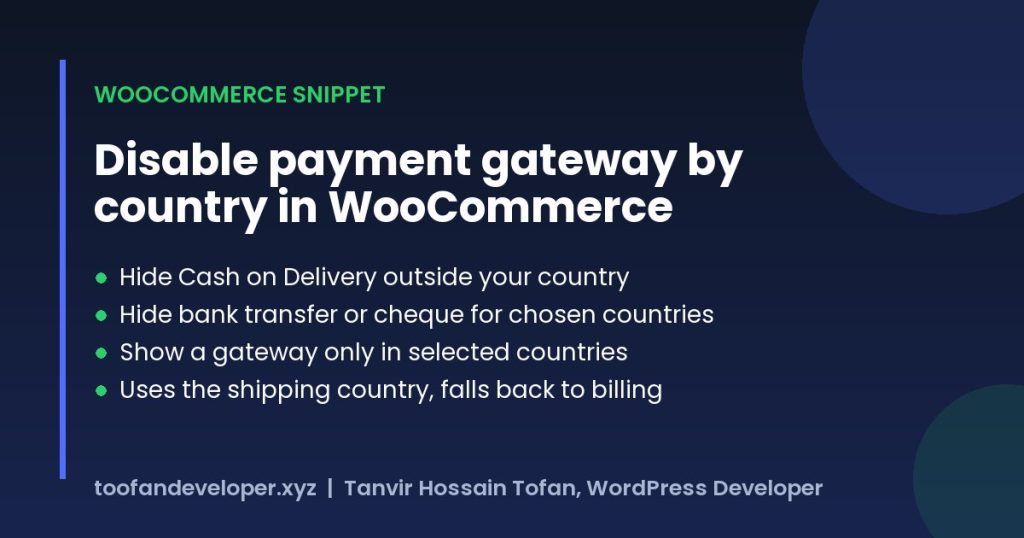
When to disable payment gateway by country in WooCommerce
- Offer Cash on Delivery only where you can actually deliver and collect cash.
- Hide bank transfer for countries where international transfers are slow or costly.
- Show a local gateway (for example bKash or a local card processor) only to customers in that country.
Step 1: Find the payment gateway ID
Go to WooCommerce > Settings > Payments and open the gateway. The ID is the last part of the URL, after section=. Built-in IDs are cod (cash on delivery), bacs (bank transfer) and cheque. Plugin gateways have their own IDs, such as ppcp-gateway for PayPal Payments.
Step 2: Hide a gateway in specific countries
Add this to your child theme functions.php or a code snippets plugin, then edit the gateway IDs and country codes. It uses the woocommerce_available_payment_gateways filter.
/**
 * WooCommerce: hide payment gateways for specific countries.
 * Gateway ID => countries (ISO codes) where it should be hidden.
 */
add_filter( 'woocommerce_available_payment_gateways', function ( $gateways ) {
	if ( is_admin() || ! function_exists( 'WC' ) || ! WC()->customer ) {
		return $gateways;
	}
	$country = WC()->customer->get_shipping_country() ?: WC()->customer->get_billing_country();

	$hide_in = array(
		'cod'    => array( 'BD' ),        // Cash on delivery hidden in Bangladesh
		'cheque' => array( 'SG', 'IN' ),  // Cheque hidden in Singapore and India
		'bacs'   => array( 'SG', 'IN' ),  // Bank transfer hidden in Singapore and India
	);

	foreach ( $hide_in as $gateway_id => $countries ) {
		if ( isset( $gateways[ $gateway_id ] ) && in_array( $country, $countries, true ) ) {
			unset( $gateways[ $gateway_id ] );
		}
	}
	return $gateways;
} );
Or: show a gateway only in selected countries
/**
 * WooCommerce: show a payment gateway ONLY in selected countries.
 */
add_filter( 'woocommerce_available_payment_gateways', function ( $gateways ) {
	if ( is_admin() || ! function_exists( 'WC' ) || ! WC()->customer ) {
		return $gateways;
	}
	$country = WC()->customer->get_shipping_country() ?: WC()->customer->get_billing_country();

	$only_in = array(
		'cod' => array( 'BD' ), // Cash on delivery only for Bangladesh
	);

	foreach ( $only_in as $gateway_id => $countries ) {
		if ( isset( $gateways[ $gateway_id ] ) && ! in_array( $country, $countries, true ) ) {
			unset( $gateways[ $gateway_id ] );
		}
	}
	return $gateways;
} );
How the code works
- WooCommerce builds the list of available gateways on the checkout page and passes it through this filter.
- The code reads the customer’s shipping country, or the billing country if no shipping address is set.
- Any gateway that matches your rules is removed from the list before the customer sees it.
- When the customer changes country at checkout, WooCommerce refreshes the list automatically.
Troubleshooting
- Gateway still shows: check the gateway ID and use two-letter country codes such as
USorBD. - Using the Checkout block: test after adding the code; if a gateway plugin ignores the filter, use its own country setting instead.
- Cached checkout: exclude the cart and checkout pages from page caching.
Frequently asked questions
How do I disable a payment gateway by country in WooCommerce?
Use the woocommerce_available_payment_gateways filter, read the customer country and unset the gateway for the countries you choose. The snippet above does this for any gateway ID.
Can I hide Cash on Delivery for international orders?
Yes. Use the second snippet and allow cod only in your own country code.
Does this need a plugin?
No. The snippet goes in functions.php or a code snippets plugin. Payment rules plugins also exist if you prefer a settings screen.
Need help with WooCommerce checkout or payments? See my WooCommerce services or get a free quote.
Related guides
- Ban Email Addresses Or Domains Name in Fluent Forms Form Submission
- Create a WordPress Admin User via functions.php or WP-CLI (Safe Method)
- WordPress Development Cost in 2026: Prices and Hiring Guide
Need help with your own site? Get a free quote or see my recent builds.