
To disable a payment gateway for a specific country in WooCommerce, you will first need to identify the gateway’s slug. Once you have done this, you can use a simple code snippet to achieve your objective.
There may be times when you need to disable a payment gateway for a specific country in WooCommerce. For example, you may only want to offer PayPal as a payment option for customers in the United States but not for customers in other countries.
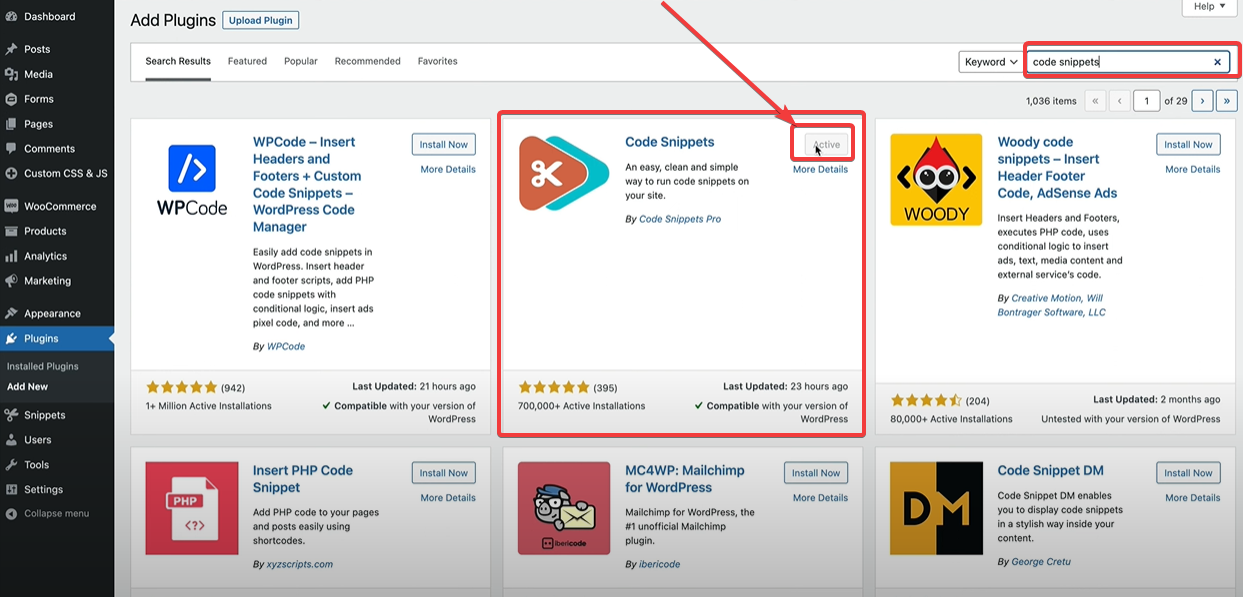
Now Install plugin or Your theme function.php code.
better now install plugin…..

function.php code
add_filter( 'woocommerce_available_payment_gateways', 'wc_hide_payment_for_countries' );

function wc_hide_payment_for_countries( $payment_gateways ) {
	if ( is_admin() ) return $payment_gateways;

	// Get country
	$customer_country = WC()->customer->get_shipping_country() ? WC()->customer->get_shipping_country() : WC()->customer->get_billing_country();

	// Hide COD for Bangladesh (BD)
	if ( in_array( $customer_country, array( 'BD' ) ) ) {
		// Hide Cash on delivery for United States
		if ( isset( $payment_gateways['cod'] ) ) {
			unset( $payment_gateways['cod'] );
		}
	}

	// Hide Bank Transfer and Cheque payments for Singapore (SG) and India (IN)
	if ( in_array( $customer_country, array( 'SG', 'IN' ) ) ) {
		if ( isset( $payment_gateways['cheque'] ) ) {
			unset( $payment_gateways['cheque'] );
		}

		if ( isset( $payment_gateways['bacs'] ) ) {
			unset( $payment_gateways['bacs'] );
		}
	}

	return $payment_gateways;
}

