
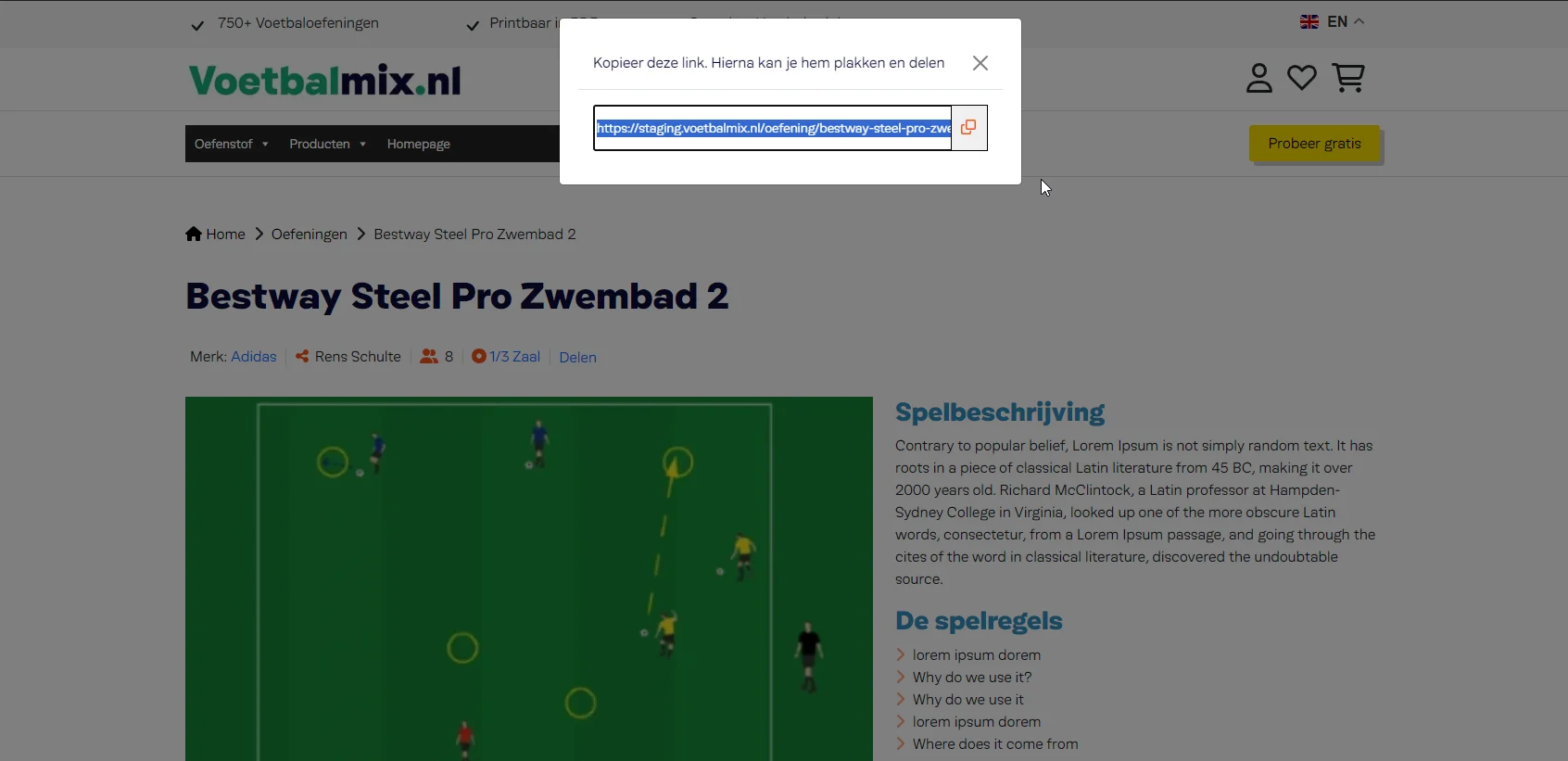
How to share URL and copy to clipboard with URL change
This is my wordpress post code for share and copy to clipboard.
HTML Code
<input type="text" value="<?php echo get_permalink() ?>" name="<?php echo get_permalink() ?>" placeholder="<?php echo get_permalink() ?>" id='copy-input'>
                                            <button onClick="copyIt()"><i class="fa fa-clone"></i></button>
Java Script Code
Java Script Code
<script>
                                    function copyIt(){
                                        let copyInput = document.querySelector('#copy-input')
                                        copyInput.select()
                                        document.execCommand("copy")
                                        }
                                </script>
Bootstrap Modal With Copy Wp Post share link
Bootstrap code
<button type="button" class="btn btn-primary" data-bs-toggle="modal" data-bs-target="#staticBackdrop">Delen</button>
                                <!-- Modal -->
                                <div class="modal fade" id="staticBackdrop" data-bs-backdrop="static" data-bs-keyboard="false" tabindex="-1" aria-labelledby="staticBackdropLabel" aria-hidden="true">
                                <div class="modal-dialog">
                                    <div class="modal-content">
                                        <div class="modal-header">
                                            <h5 class="modal-title" id="staticBackdropLabel">Kopieer deze link. Hierna kan je hem plakken en delen</h5>
                                            <button type="button" class="btn-close" data-bs-dismiss="modal" aria-label="Close"></button>
                                        </div>
                                        <div class="modal-body" id="copycontent">
                                            <input type="text" value="<?php echo get_permalink() ?>" name="<?php echo get_permalink() ?>" placeholder="<?php echo get_permalink() ?>" id='copy-input'>
                                            <button onClick="copyIt()"><i class="fa fa-clone"></i></button>
                                        </div>
                                    </div>
                                </div>
                                </div>
Jquery Code
function copyIt(){
                                        let copyInput = document.querySelector('#copy-input')
                                        copyInput.select()
                                        document.execCommand("copy")
                                        }


2 Comments
Greetings Friend,
I trust this message finds you in excellent health and spirits.
I’m reaching out with a unique and highly profitable business opportunity that I believe aligns with your vision and potential. This proposal holds promise for substantial returns and long-term partnership.
If this interests you, kindly reply only to this email: changchih775@gmail.com. I will respond exclusively through this channel.
Looking forward to your response.
Warm regards,
Dir. Chih-Chien Chang
changchih775@gmail.com
hi