
Quick answer: To copy link to clipboard in WordPress with one click, place an input with the post URL and a button in your post template, then call navigator.clipboard.writeText() in JavaScript when the button is clicked. The snippets below also add a mobile Share button and work without any plugin.
Table of Contents
How to copy link to clipboard in WordPress
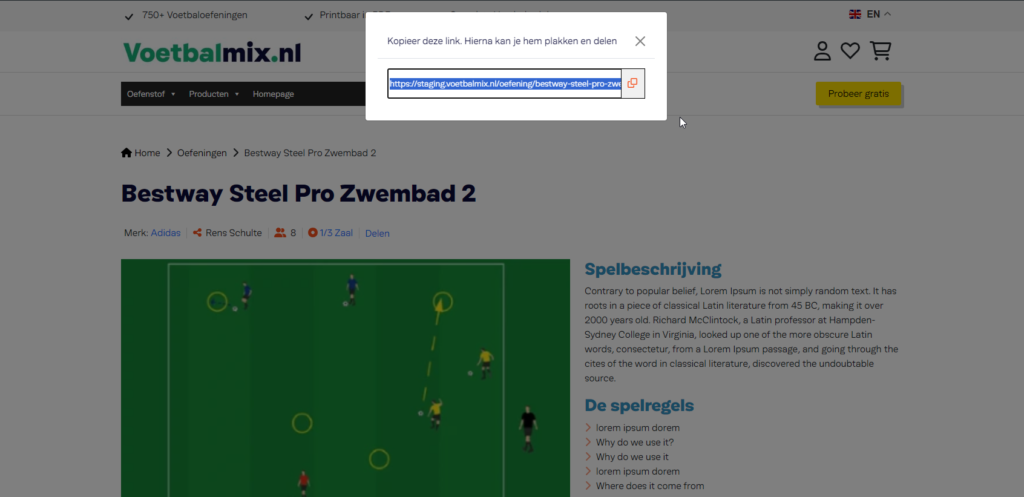
It adds a small box under your post with the page URL, a Copy link button and, on phones, a Share button that opens the native share sheet. Readers can copy or share your article in one tap, which helps more people find your content.
Step 1: Add the HTML to your post template
Paste this inside single.php (or your theme’s post template) where you want the box to appear, usually after the_content().
<div class="copy-link">
  <input type="text" id="copy-input" value="<?php echo esc_url( get_permalink() ); ?>" readonly>
  <button type="button" id="copy-button">Copy link</button>
  <button type="button" id="share-button" hidden>Share</button>
  <span id="copy-status" aria-live="polite"></span>
</div>
Prefer not to edit templates? Use this functions.php version instead. It adds the same box after every blog post automatically.
/**
 * Add a "Copy link" box after every blog post automatically.
 */
add_filter( 'the_content', function ( $content ) {
	if ( ! is_singular( 'post' ) || ! in_the_loop() || ! is_main_query() ) {
		return $content;
	}
	$box  = '<div class="copy-link">';
	$box .= '<input type="text" id="copy-input" value="' . esc_url( get_permalink() ) . '" readonly> ';
	$box .= '<button type="button" id="copy-button">Copy link</button> ';
	$box .= '<button type="button" id="share-button" hidden>Share</button> ';
	$box .= '<span id="copy-status" aria-live="polite"></span>';
	$box .= '</div>';
	return $content . $box;
} );
Step 2: Add the JavaScript
Add this in your theme’s JavaScript file or in the footer. It uses the modern Clipboard API, which works on HTTPS sites, and falls back to the older method on other sites.
document.addEventListener('DOMContentLoaded', function () {
  var input  = document.getElementById('copy-input');
  var copy   = document.getElementById('copy-button');
  var share  = document.getElementById('share-button');
  var status = document.getElementById('copy-status');
  if (!input || !copy) return;

  function done() {
    status.textContent = 'Link copied!';
    setTimeout(function () { status.textContent = ''; }, 2000);
  }

  copy.addEventListener('click', function () {
    if (navigator.clipboard && window.isSecureContext) {
      navigator.clipboard.writeText(input.value).then(done);
    } else {
      // Fallback for old browsers or sites without HTTPS
      input.select();
      document.execCommand('copy');
      done();
    }
  });

  // Native share sheet on phones (WhatsApp, Messenger, email...)
  if (navigator.share && share) {
    share.hidden = false;
    share.addEventListener('click', function () {
      navigator.share({ title: document.title, url: input.value });
    });
  }
});
Step 3: Style the box
.copy-link{display:flex;flex-wrap:wrap;gap:8px;align-items:center;margin:24px 0}
.copy-link input{flex:1;min-width:220px;padding:10px 12px;border:1px solid #ccc;border-radius:6px}
.copy-link button{padding:10px 16px;border:0;border-radius:6px;background:#3d5afe;color:#fff;cursor:pointer}
#copy-status{color:#25a55f;font-weight:600}
How the code works
esc_url( get_permalink() )prints the current post URL safely.navigator.clipboard.writeText()copies the link without selecting the field, and shows “Link copied!” for two seconds.- The
aria-livestatus message is read out by screen readers, so the button is accessible. - If the browser supports
navigator.share, the hidden Share button appears and opens the phone’s share menu.
Troubleshooting
- Nothing is copied: the Clipboard API needs HTTPS. On HTTP sites the fallback runs, which some browsers block.
- Button does nothing: check that the IDs in your HTML match the JavaScript, and that the script loads after the HTML.
- Two boxes appear: use either the template HTML or the functions.php version, not both.
Frequently asked questions
How do I copy a link to the clipboard in WordPress without a plugin?
Add a text field with the post URL and a button, then use navigator.clipboard.writeText() in JavaScript to copy the URL when the button is clicked. The snippets above do exactly this.
Why is document.execCommand(“copy”) not recommended?
It is deprecated. Modern browsers support the Clipboard API, which is more reliable. The snippet only uses execCommand as a fallback for old browsers.
Does the copy link button work on mobile?
Yes. It works on mobile browsers, and on phones that support it the Share button opens the native share menu for WhatsApp, Messenger, email and more.
Need a custom feature like this on your site? See my WordPress services or get a free quote.
Related guides
- JQuery Set Cookies Popup Setup One Day
- Change Jquery tab on next Prev button click
- WordPress Development Cost in 2026: Prices and Hiring Guide
Need help with your own site? Get a free quote or see my recent builds.