
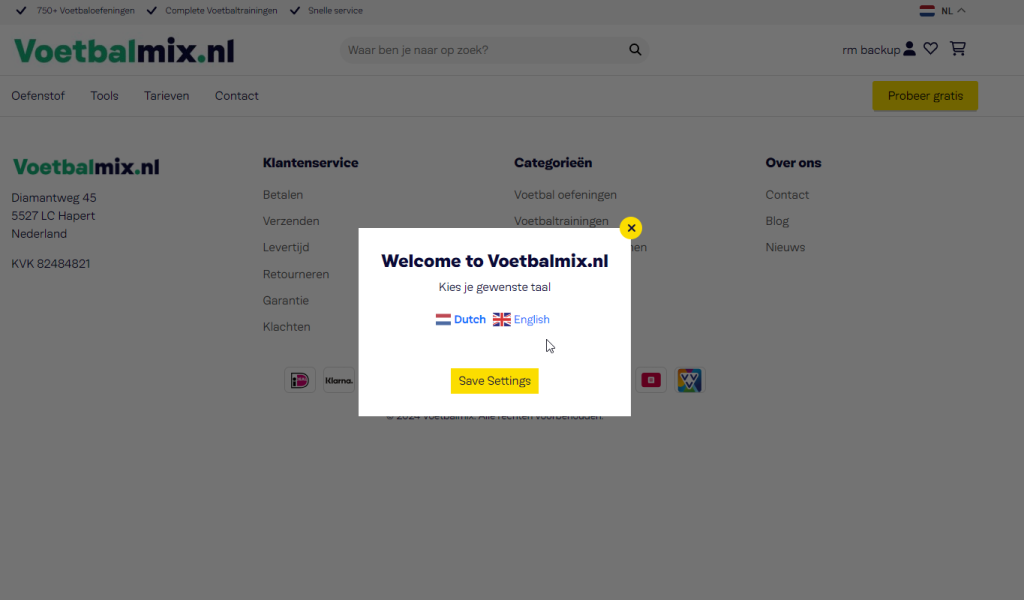
Quick answer: A jQuery cookie popup shows a message on the first visit and then saves a cookie when the visitor closes it, so it stays hidden for a set time, here one day. Add the HTML to your footer, the CSS to your stylesheet and the jQuery snippet below. No plugin is needed.
Table of Contents
What this jQuery cookie popup does
It shows a popup when someone first visits your site, and when they close it, saves a small cookie so the popup stays hidden for one day. Use it for a cookie notice, a newsletter offer or an announcement. Change one number to make it hide for a week or a month instead.
Step 1: Add the popup HTML
Put this in your footer (for example footer.php before wp_footer()) so it loads on every page.
<div class="popup-overlay" role="dialog" aria-modal="true" aria-labelledby="popup-title">
  <div class="popup">
    <button type="button" class="close" aria-label="Close">×</button>
    <h2 id="popup-title">We use cookies</h2>
    <div class="popupset">
      <p>We use cookies to improve your experience on this site.</p>
      <a href="#" class="submit">OK, got it</a>
    </div>
  </div>
</div>
Step 2: Add the CSS
.popup-overlay{display:none;position:fixed;inset:0;background:rgba(0,0,0,.6);align-items:center;justify-content:center;z-index:9999}
.popup{position:relative;background:#fff;color:#222;width:90%;max-width:420px;padding:28px;border-radius:12px}
.popup .close{position:absolute;top:8px;right:12px;border:0;background:none;font-size:28px;line-height:1;cursor:pointer}
.popupset .submit{display:inline-block;margin-top:12px;padding:10px 18px;border-radius:6px;background:#3d5afe;color:#fff;text-decoration:none}
Step 3: Add the jQuery cookie popup script
WordPress already loads jQuery on most themes. Wrapping the code in jQuery(function ($) { ... }) makes $ safe to use and waits until the page is ready.
jQuery(function ($) {
  var COOKIE = 'popupClosed';
  var DAYS   = 1; // show the popup again after 1 day

  function getCookie(name) {
    var match = document.cookie.match(new RegExp('(?:^|; )' + name + '=([^;]*)'));
    return match ? decodeURIComponent(match[1]) : '';
  }

  function setCookie(name, value, days) {
    var d = new Date();
    d.setTime(d.getTime() + days * 24 * 60 * 60 * 1000);
    document.cookie = name + '=' + encodeURIComponent(value) +
      '; expires=' + d.toUTCString() + '; path=/; SameSite=Lax';
  }

  var $overlay = $('.popup-overlay');
  if (getCookie(COOKIE) !== '1') {
    $overlay.css('display', 'flex');
  }

  function closePopup(e) {
    if (e) e.preventDefault();
    setCookie(COOKIE, '1', DAYS);
    $overlay.fadeOut();
  }

  // Close with the X, the button, a click outside the box, or the Escape key
  $overlay.on('click', '.close, .popupset a', closePopup);
  $overlay.on('click', function (e) { if (e.target === this) closePopup(e); });
  $(document).on('keydown', function (e) { if (e.key === 'Escape') closePopup(); });
});
How the code works
getCookie()checks whether the visitor already closed the popup.- If not, the overlay is shown with
display:flexso the box is centred. - Any way of closing it calls
setCookie(), which storespopupClosed=1for the number of days inDAYS. SameSite=Laxandpath=/make the cookie work across your whole site in modern browsers. The details are explained on MDN’s document.cookie page.
Change how often the popup appears
- Once a week: set
DAYS = 7. - Once per browser session: remove the
expirespart fromsetCookie(). - Every visit (for testing): delete the cookie in your browser’s developer tools.
Is this enough for GDPR cookie consent?
No. This popup is a notice. Legal consent under GDPR means blocking analytics and marketing cookies until the visitor agrees and storing that choice. For that, use a proper consent management plugin, and use this snippet for announcements and offers.
Frequently asked questions
How do I show a popup only once per day with jQuery?
Save a cookie with a one-day expiry when the visitor closes the popup, and only show the popup if that cookie is missing. The snippet above does this with getCookie() and setCookie().
Does this cookie popup need a plugin?
No. It is plain HTML, CSS and jQuery that you can add to any WordPress theme.
Why does the popup show again after clearing cookies?
The popup relies on a browser cookie. When the visitor clears cookies or uses another browser, the cookie is gone, so the popup appears again.
Need a custom popup, offer bar or consent setup? Get a free quote.
Related guides
- How to copy a link on a clipboard WordPress?
- Change Jquery tab on next Prev button click
- Hire Dedicated WordPress Developers Who Actually Get Results
Need help with your own site? Get a free quote or see my recent builds.