
Quick answer: If your WordPress site is hacked, first take a backup of its current state, then change every password (hosting, FTP, database and WordPress admins), remove unknown admin users, replace WordPress core, plugins and themes with fresh copies, look for malicious PHP files in uploads and wp-config.php, clean the database, and finally ask Google to review the site in Search Console.
A WordPress site hacked overnight is stressful, but it is almost always recoverable. I clean hacked sites for clients regularly, and the same causes come up again and again: an outdated plugin, a nulled theme, or a reused password. Below is the exact order I follow.
Table of Contents
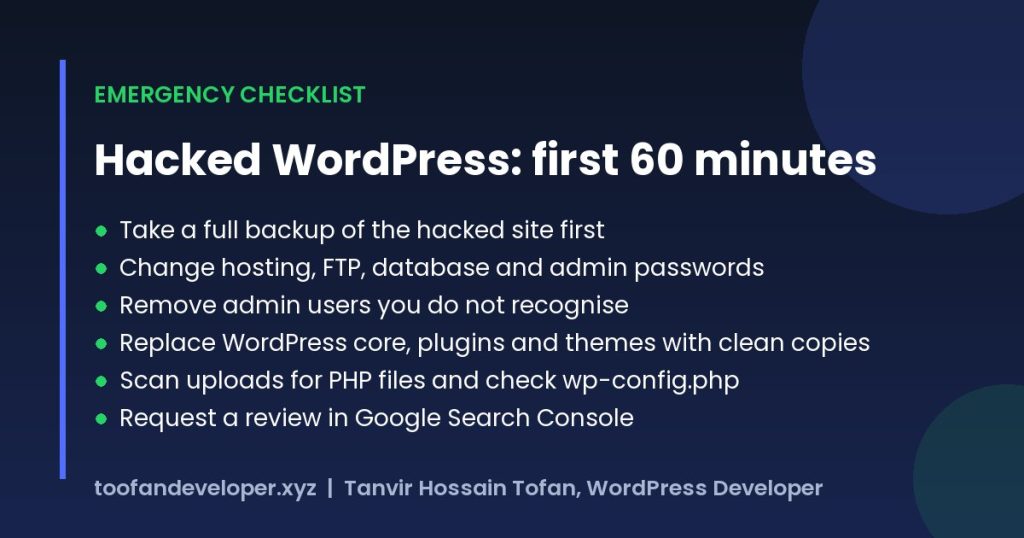
Is your WordPress site hacked? Signs to check
- Visitors (often only on mobile, or only from Google) are redirected to spam, gambling or adult sites.
- Google shows pages you never created, often in Japanese or with pharmacy keywords.
- Chrome or Google shows a “This site may be hacked” or “Deceptive site ahead” warning.
- New administrator accounts appear that you did not create.
- Your host suspends the account or emails you about malware or spam sending.
- The site suddenly becomes very slow, or files change dates without any update.
WordPress has its own guide to the warning signs in its “My site was hacked” FAQ, which is worth bookmarking.
Why WordPress sites get hacked
- Outdated plugins and themes: attackers scan the web for known vulnerabilities in old versions.
- Nulled (pirated) plugins: they often ship with a backdoor already installed.
- Weak or reused passwords: leaked passwords from other sites are tried automatically.
- Abandoned add-ons: plugins no longer maintained never get security fixes.
- Shared hosting neighbours: a poorly isolated server can spread infections between sites.
Step 1: Back up the hacked site before you touch anything
Download all files and export the database, even though they are infected. This backup lets you compare files later and recover content if something goes wrong during cleanup. Store it offline, not on the same server.
Step 2: Change every password and lock the doors
- Change your hosting control panel, FTP/SFTP and database passwords.
- Reset the password of every WordPress administrator, and use two-factor login.
- Generate new security keys and salts in wp-config.php, which logs everyone out.
- Remove any admin account you do not recognise. Attackers often create one quietly; I explain how this works in this guide to admin accounts created through functions.php.
Step 3: Replace WordPress core, plugins and themes
Do not try to clean infected core files by hand. Download fresh copies of WordPress, every plugin and your theme from their official sources and replace the old folders. Delete any plugin or theme you do not use, and never reinstall a nulled plugin.
Step 4: Hunt for leftover malware
| Where malware hides | What to look for |
|---|---|
| wp-content/uploads | Any .php file (there should normally be none) |
| wp-config.php | Long encoded strings, eval() or base64_decode() |
| .htaccess | Redirect rules you did not add |
| wp-content/mu-plugins | Unknown files that load on every request |
| Database: wp_options | Changed siteurl or home, injected scripts |
| Database: wp_posts | <script> or iframe tags inside posts |
| Database: wp_users | Admin accounts you did not create |
Is your WordPress site hacked in more than one place? Usually yes, so scan the site with a reputable security scanner as well, and compare suspicious files with your clean copies before deleting them.
Step 5: Update, harden and monitor
- Update PHP, WordPress, plugins and themes to the latest versions.
- Add
define( 'DISALLOW_FILE_EDIT', true );to wp-config.php to block code editing from the dashboard. - Limit login attempts and keep two-factor login on for every admin.
- Set up daily off-site backups and uptime monitoring.
The official WordPress hardening guide covers file permissions, database security and more advanced steps.
Step 6: Remove Google and browser warnings
Open Google Search Console, go to Security issues, confirm the problems are fixed and click Request review. Google usually reviews within a few days. If your site was blocklisted by other services, request a review there too. Also check Pages in Search Console for spam URLs and remove them so they drop out of search results faster.
How much does a hacked WordPress cleanup cost?
It depends on how deep the infection goes and how many sites share the hosting account. A single site with a simple redirect hack is a quick job; a reinfected site with spam pages indexed in Google takes longer because the database and search results also need cleaning. I give a fixed quote after a quick check, and most cleanups are finished in 24 to 48 hours.
When should you call a professional?
If the malware comes back after cleaning, your host has suspended the site, or the site is your main source of sales, a professional cleanup is the safer choice. See my security and maintenance services or message me on WhatsApp for urgent help.
Frequently asked questions
Is my WordPress site hacked? How can I tell?
Common signs are visitors being redirected to spam or gambling sites, strange pages appearing in Google results, admin users you did not create, a browser or Google warning that the site is dangerous, or your host suspending the account for malware.
Can I clean a hacked WordPress site myself?
Yes, if you are comfortable with FTP, file permissions and the database. Follow the checklist in order and keep a backup of the hacked state. If the site keeps getting reinfected, a professional cleanup is usually faster and cheaper than repeated fixes.
How long does a hacked WordPress cleanup take?
Most cleanups take 24 to 48 hours, including scanning, replacing files, cleaning the database and hardening. Removing a Google warning can take a few more days after you request a review.
Will restoring a backup fix a hacked site?
Only if the backup is from before the hack and you also fix the way the attacker got in. Otherwise the site is usually reinfected within days.
How do I stop my WordPress site from being hacked again?
Keep WordPress, plugins and themes updated, never use nulled plugins, use strong unique passwords with two-factor login, disable file editing in the dashboard, and keep daily off-site backups.
WordPress site hacked right now? Send me the details or chat on WhatsApp and I will help you get it clean and secure.